
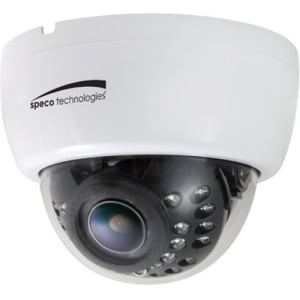
In today’s world, home security cameras have become essential for homeowners looking to safeguard their properties.
With numerous brands and models on the market, it’s important to understand what options are available, what features are necessary, and how to set up a home security system that doesn’t require a costly subscription. In this comprehensive guide, we’ll explore the top home security camera brands, the key components of a security system, and how to create a subscription-free setup.
Popular Home Security Camera Brands
Several brands dominate the home security camera market, each offering a variety of features to suit different needs. Here are some of the most popular options:
- Hikvision (shop)
Hikvision is a global leader in video surveillance, known for offering a wide range of high-performance cameras and systems. Their products support up to 4K video resolution, advanced analytics like motion detection and facial recognition, and options for both cloud and local storage. Hikvision’s deep integration with NVRs and smart features make them ideal for both residential and commercial setups.
- Honeywell (shop)
Honeywell offers a comprehensive suite of security solutions, including indoor and outdoor cameras, video doorbells, and smart home integration. Their systems are known for reliability, ease of use, and seamless integration with access control and alarm systems. Many Honeywell models support two-way audio, mobile alerts, and encrypted local or cloud video storage.
- Dahua (shop)
Dahua provides advanced video surveillance equipment with features like AI-powered analytics, color night vision, and ultra HD resolution. Their cameras support edge recording with microSD cards and work well in large-scale security systems. Dahua is especially known for its robust and scalable solutions suitable for both home and enterprise environments.
- Digital Watchdog (shop)
Digital Watchdog (DW) focuses on professional-grade security systems with user-friendly software and powerful recording capabilities. Their camera systems offer features like Smart IR, True Wide Dynamic Range (WDR), and real-time video streaming. DW also provides secure local and cloud storage options, making them ideal for users who prioritize flexibility and control.
What a Home Security System Requires
A complete home security system consists of several components that work together to provide protection. Here’s what you’ll need:
1. Security Cameras
The core of any security system, cameras should be strategically placed to cover entry points and vulnerable areas like the front door, backyard, and garage.
2. Local Storage (MicroSD, NAS, or NVR)
For a subscription-free setup, opt for cameras that support local storage. MicroSD cards work for individual cameras, while Network Video Recorders (NVRs) or Network-Attached Storage (NAS) devices can centralize footage from multiple cameras.
3. Motion Detection & Alerts
A good security system should include motion detection that can trigger alerts and recording when activity is detected. Look for cameras with customizable motion zones to reduce false alerts.
4. Two-Way Audio
Many modern security cameras allow two-way communication, enabling homeowners to speak with visitors or warn intruders remotely.
5. Smart Home Integration
Connecting your security cameras to smart home devices like Alexa, Google Assistant, or Apple HomeKit allows for better automation and voice control.
6. Power Source (Battery, Wired, or Solar)
Consider how the cameras will be powered. Battery-operated cameras are easier to install but require recharging, whereas wired cameras provide continuous power but need proper setup. Solar-powered cameras are great for long-term use in outdoor settings.
7. Secure Network Connection
A strong Wi-Fi connection is crucial for live streaming and remote access. Consider setting up a separate guest network for your security devices to reduce the risk of hacking.
Setting Up a Subscription-Free Security System
Now that you know what’s required, here’s a step-by-step guide to setting up a home security system without a subscription:
- Step 1: Choose Subscription-Free Cameras
Opt for brands like Eufy, Reolink, or Wyze that offer local storage. Look for features like person detection, high-resolution video, and good night vision.
- Step 2: Set Up Local Storage
- MicroSD Cards: Most cameras support microSD cards for local recording. Check the maximum storage capacity your camera supports.
- Network Video Recorder (NVR): An NVR allows multiple cameras to record continuously to a local hard drive.
- Network-Attached Storage (NAS): If your cameras support RTSP (Real-Time Streaming Protocol), you can store recordings on a NAS device for centralized access.
- Step 3: Install Cameras in Strategic Locations
- Place cameras near entry points, driveways, backyards, and other high-risk areas.
- Ensure cameras are mounted high enough to avoid tampering but within range to capture clear footage.
- Use weatherproof cameras for outdoor locations.
- Step 4: Configure Motion Detection & Alerts
- Adjust motion zones to focus on critical areas.
- Set up alerts to receive real-time notifications on your phone.
- Test different sensitivity levels to reduce false alarms.

- Step 5: Secure Your Network
- Change default passwords on cameras and routers.
- Use WPA3 encryption for better security.
- Consider a VPN for extra privacy when accessing footage remotely.
- Step 6: Integrate with Smart Home Devices (Optional)
- Connect cameras to Google Assistant or Alexa for voice commands.
- Automate lights or alarms to trigger when motion is detected.
- Use smart locks for additional security.
Conclusion
Home security is more accessible than ever, with many high-quality cameras available at different price points. While subscription-based services offer cloud storage and extra features, it’s entirely possible to create an effective security system without ongoing fees. By choosing the right cameras, setting up local storage, and securing your network, you can protect your home while keeping costs low. Whether you prefer budget-friendly solutions like Wyze or premium options like Reolink, a subscription-free setup gives you control over your security and privacy.